
Some of the products listed on our site are linked to Amazon as part of their Affiliate Program. This means that if you click on these links and make a purchase, you do so at no extra cost, but we may earn a commission. These commissions help us maintain and sustain our website, allowing us to continue bringing you valuable content. Thank you for your support!
VS
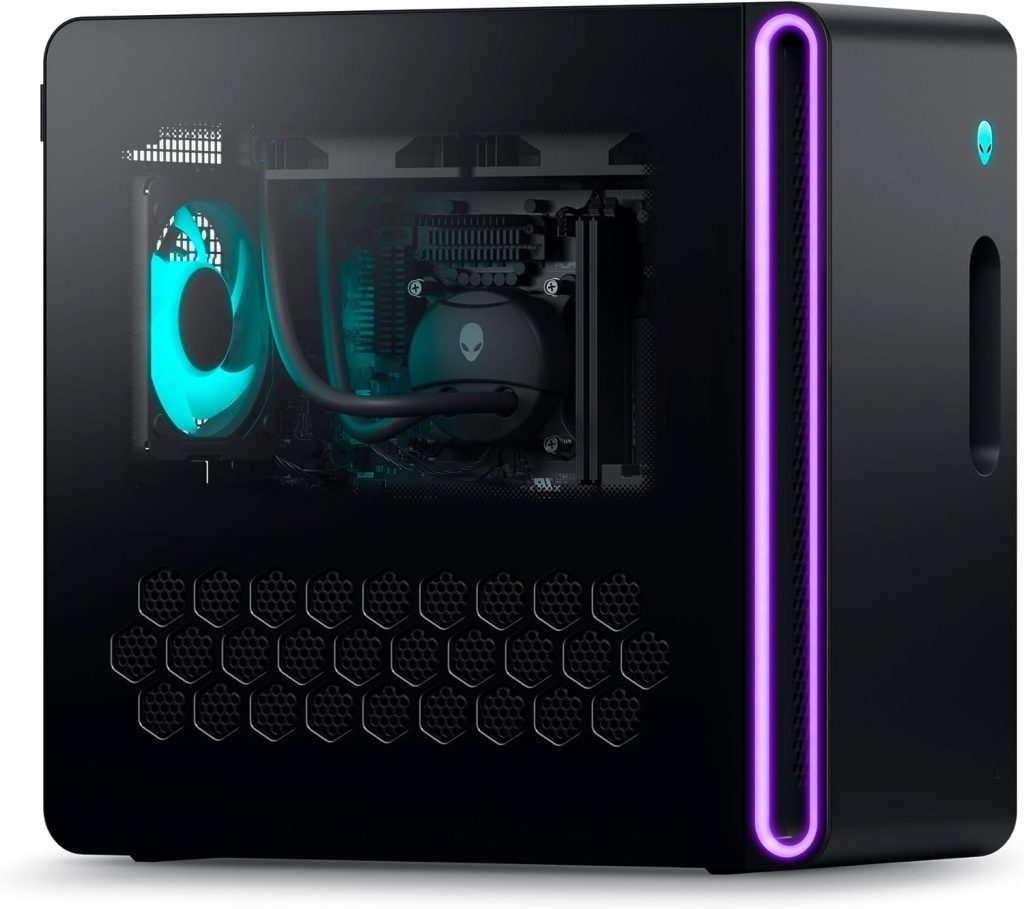
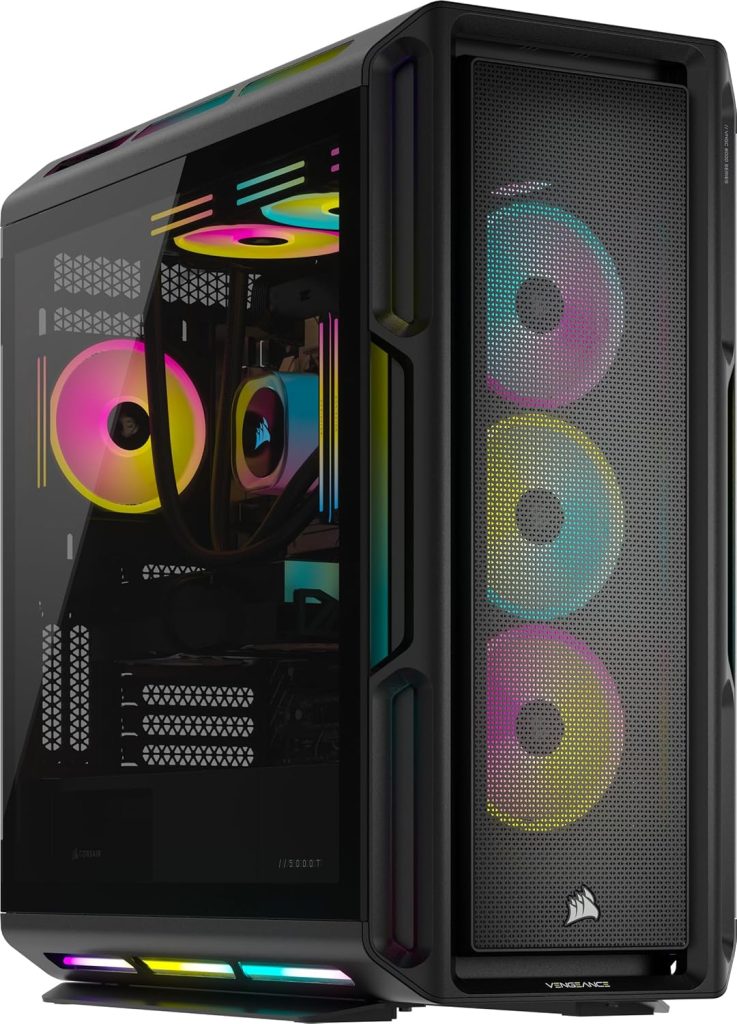
When it comes to high-end gaming PCs, the market is filled with options that promise to enhance your gaming experience. Today, we’re diving into a detailed comparison between two titans of the gaming world: the Corsair Vengeance i8200 iCUE Link Edition Gaming PC and the Alienware Aurora R16 Liquid Cooled Gaming Desktop. Both systems boast impressive specs, but they cater to slightly different user needs and preferences. Let’s break down what each machine offers and help you decide which might be the best fit for your gaming setup.
Performance and Hardware
Processor: Both systems are powered by Intel’s Core i9 processors, but the Corsair Vengeance i8200 features the i9-14900KF model, while the Alienware Aurora R16 uses the i9-14900F. The main difference here is the “KF” suffix, which indicates that the Corsair’s processor is unlocked for overclocking and slightly higher base clock speeds at 3.2 GHz compared to the Aurora’s 2 GHz. This could be crucial for gamers looking to squeeze out every bit of performance through overclocking.
Graphics
The Corsair’s superior graphics setup not only enhances its gaming performance but also improves its capability in handling complex graphic design and video editing tasks. This makes it a more suitable choice for professionals and creators who need that extra power for rendering high-resolution images or 3D modeling.
On the other hand, the Alienware, while still powerful with its RTX 4070 Super, might not handle ultra-settings in some of the latest games or perform as well in VR environments compared to the Corsair. However, it could still be a good option for gamers who are looking for a balance between cost and performance, as it is likely to be less expensive than the Corsair model.
Ultimately, the choice between these two will depend on your specific needs and budget. If maximum graphics performance is your priority and you’re willing to invest in top-tier hardware, the Corsair with its RTX 4080 Super GPU is the clear winner. If, however, you’re looking for something more cost-effective, the Alienware still offers respectable performance that can handle most modern games at high settings.
Memory and Storage
In terms of RAM, the Corsair again leads with 64GB of Dominator Titanium RGB DDR5 memory, compared to 32GB DDR5 RAM in the Alienware. More RAM in the Corsair allows for better multitasking and future-proofing. Storage options also highlight a difference; Corsair offers a massive 6TB (2TB + 4TB M.2 SSD) which dwarfs the 2TB (1TB SSD + 1TB HDD) provided by Alienware. The SSD configuration in the Corsair provides faster data access and greater reliability.
Design and Build
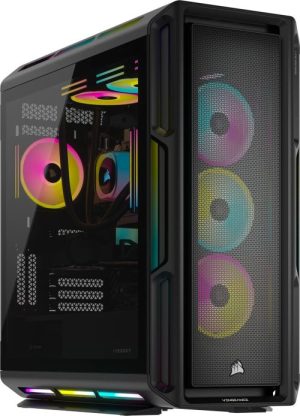
Both PCs offer distinctive designs that stand out. The Corsair Vengeance i8200 maintains a sleek, black chassis with RGB lighting that can be customized through the iCUE software, promoting a cohesive aesthetic with other Corsair peripherals. Alienware’s Aurora R16 continues with its iconic, out-of-this-world design and also features customizable RGB lighting. The choice here will largely depend on personal aesthetic preference.
Connectivity and Expansion
Connectivity is vital for gamers who have a plethora of peripherals. Both systems are well-equipped in this regard. The Corsair Vengeance i8200 offers USB 3.0 A, USB 3.1 C, 3.5 mm audio, Ethernet, HDMI, and DisplayPort options, along with Bluetooth 5 interfaces. This wide array of ports supports a comprehensive range of modern displays and high-speed data devices, ensuring versatility for all gaming setups.
In contrast, the Alienware steps it up slightly with the inclusion of USB 3.2 Gen 1 and USB 3.2 Gen 2×2, alongside its HDMI and DisplayPort options, providing a bit more versatility particularly in terms of USB data transfer speeds. This makes the Alienware slightly better suited for users who may need ultra-fast data transfer capabilities for large files or extended gaming peripherals connectivity.
Cooling and Operation
Both machines use a liquid cooling method, which is excellent for maintaining optimal temperatures during intense gaming sessions. However, the addition of air cooling in the Corsair suggests a hybrid approach that might offer better cooling efficiency, particularly useful during overclocking scenarios.
Software and OS
The Corsair runs on Windows 11 Pro, while the Alienware comes with Windows 11 Home. The Pro version of Windows offers additional features like BitLocker, Remote Desktop, and other business-oriented tools which might be beneficial depending on your non-gaming needs.
Pricing and Value
When it comes to pricing, both the Corsair Vengeance i8200 and the Alienware Aurora R16 are positioned in the premium segment, reflecting their high-end specifications. The Corsair, with its superior graphics, more extensive RAM, and larger storage capacity, generally comes at a higher price point. However, the investment can be justified for users who demand top-tier performance and the added benefits of overclocking capabilities and professional-grade features provided by Windows 11 Pro.
The Alienware, while slightly less powerful in some respects, might offer better value for those who do not require the cutting edge of hardware but still want a machine capable of handling the latest games at high settings. It’s also worth considering the brand loyalty many gamers have towards Alienware, known for its reliable build and customer service.
Upgradability
Both systems offer a degree of upgradability, which is crucial for future-proofing your investment. The Corsair’s larger case size and power supply capacity may provide more physical space for additional hardware upgrades, such as extra SSDs or even a secondary graphics card. Alienware’s compact and proprietary design is less flexible in this regard but still supports upgrades to RAM and storage.
Ecosystem and Software
An often overlooked aspect when choosing a gaming PC is the ecosystem of compatible peripherals and software enhancements. Corsair’s iCUE software integrates deeply with its hardware, allowing for extensive customization of lighting and performance settings across a range of Corsair products. This can be a significant advantage for users who already own or plan to purchase Corsair peripherals.
Alienware’s Command Center performs a similar function, offering an intuitive interface to customize lighting and thermal controls. This software also includes an overclocking module for easy performance tuning, making it user-friendly for gamers who might not be as experienced with manual tweaking.
Conclusion
Ultimately, the decision between the Corsair Vengeance i8200 and the Alienware Aurora R16 should be guided by your specific requirements and budget constraints. The Corsair is arguably the more powerful machine, suitable for hardcore gamers and professional content creators who need the utmost performance and are willing to pay a premium for it. The Alienware, on the other hand, offers solid performance with slightly less expandability but is still a compelling choice for most serious gamers, especially those loyal to the Alienware brand or needing specific connectivity features.
Both machines are excellent representatives of what modern gaming PCs can offer and are capable of running the latest games and software with ease. Whether you choose the Corsair or the Alienware, you’ll be investing in a high-quality gaming experience that should serve well into the future.
Here’s a comparative table outlining the key features of the Corsair Vengeance i8200 and the Alienware Aurora R16 gaming PCs:
| Feature | Corsair Vengeance i8200 | Alienware Aurora R16 |
|---|---|---|
| Processor | Intel Core i9-14900KF (Unlocked, 3.2 GHz base clock) | Intel Core i9-14900F (2 GHz base clock) |
| Graphics | NVIDIA RTX 4080 Super | NVIDIA RTX 4070 Super |
| Memory | 64GB Dominator Titanium RGB DDR5 | 32GB DDR5 RAM |
| Storage | 6TB (2TB + 4TB M.2 SSD) | 2TB (1TB SSD + 1TB HDD) |
| Design | Sleek, black chassis with customizable RGB (iCUE) | Iconic design with customizable RGB |
| Connectivity | USB 3.0 A, USB 3.1 C, 3.5 mm, Ethernet, HDMI, DP, Bluetooth 5 | USB 3.2 Gen 1, USB 3.2 Gen 2×2, HDMI, DP |
| Cooling | Liquid and air cooling | Liquid cooling |
| Operating System | Windows 11 Pro | Windows 11 Home |
| Pricing | Higher price, better for high-end users | Better value for cost-sensitive gamers |
| Upgradability | Larger case for more physical upgrades | Compact design limits hardware upgrades |
| Software Ecosystem | iCUE software for extensive customization | Command Center with overclocking module |
This breakdown can help determine which system better suits your specific needs, whether it’s for intense gaming, professional creative work, or balanced performance and cost efficiency.
To dive deeper into the comparisons and reviews between the Corsair Vengeance i8200 and the Alienware Aurora R16, you can check out detailed video content on YouTube.




Leave a Reply